00 /How It Works
From open plan to sent invoice, without re-entering anything.
The whole system exists so a number typed once at the truck becomes the daily report, the weekly total, and the invoice automatically.
STEP 01
Open
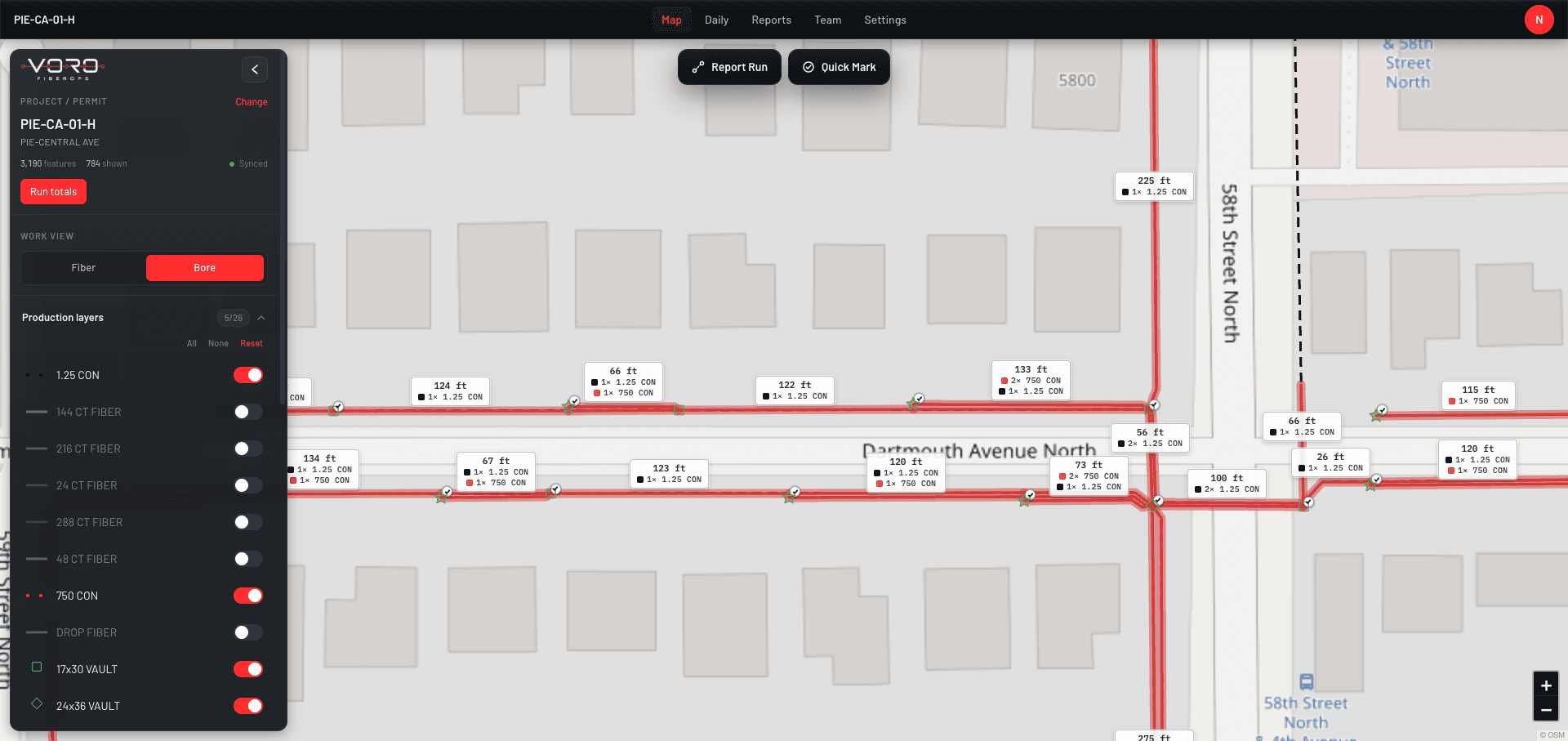
Open the project and construction plan
Projects hold their plans, and plans hold the network: runs, boxes, handholes, vaults. What's completed is already drawn on the map in green, so the starting point is never a blank form.
STEP 02
Record
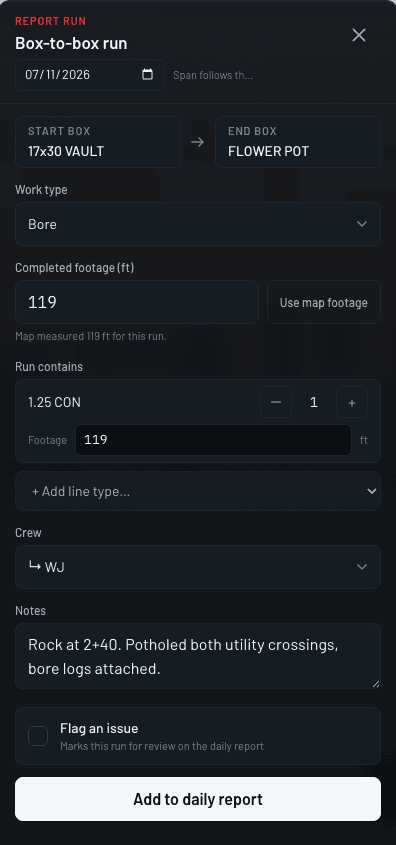
Record completed production from the map
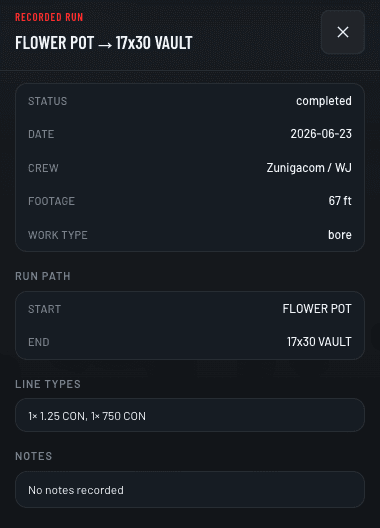
Select the completed run from box to box, then enter the footage, conduit, crew, and date. Add a note if the day had one (rock, standby, a lid on order). If the run was already recorded, VORO says so instead of taking a duplicate.
STEP 03
Review Daily
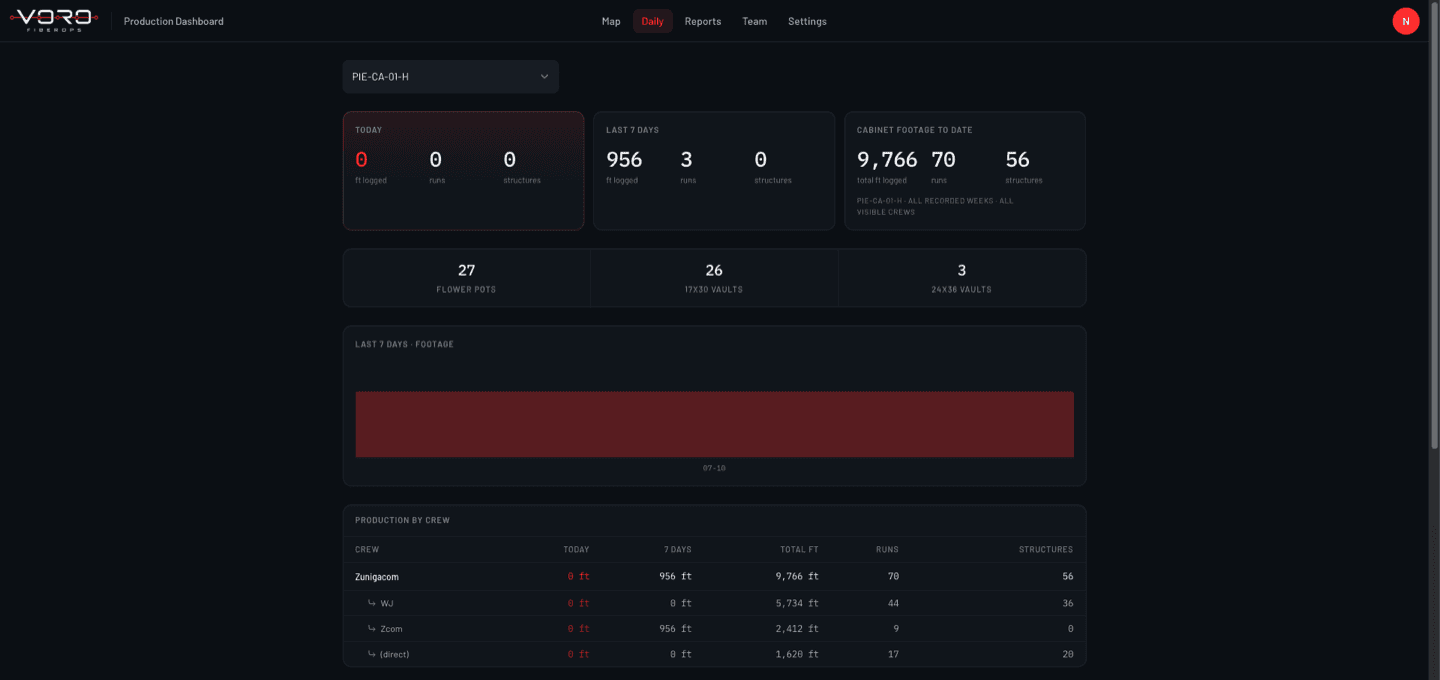
Review footage, crews, dates, and notes
The daily view shows every crew's production with its status. Supervisors verify entries the same day, flag anything that needs review, and see missing production while it's still cheap to fix.
STEP 04
Roll Up
Weekly totals build themselves
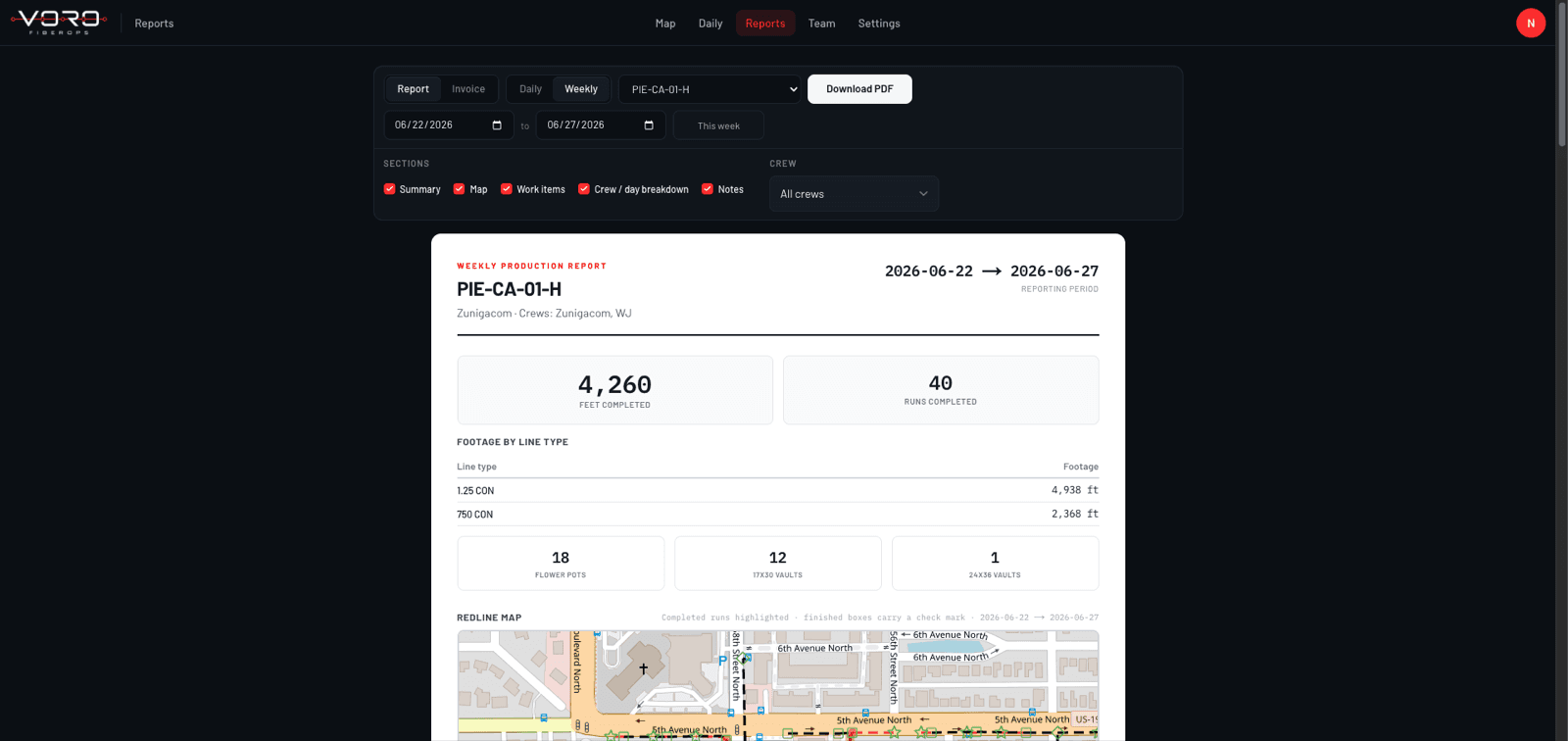
Daily records aggregate by crew and plan into weekly totals. By the end of the week the numbers are already assembled, so the job is reading them, not rebuilding them.
STEP 05
Report & Invoice
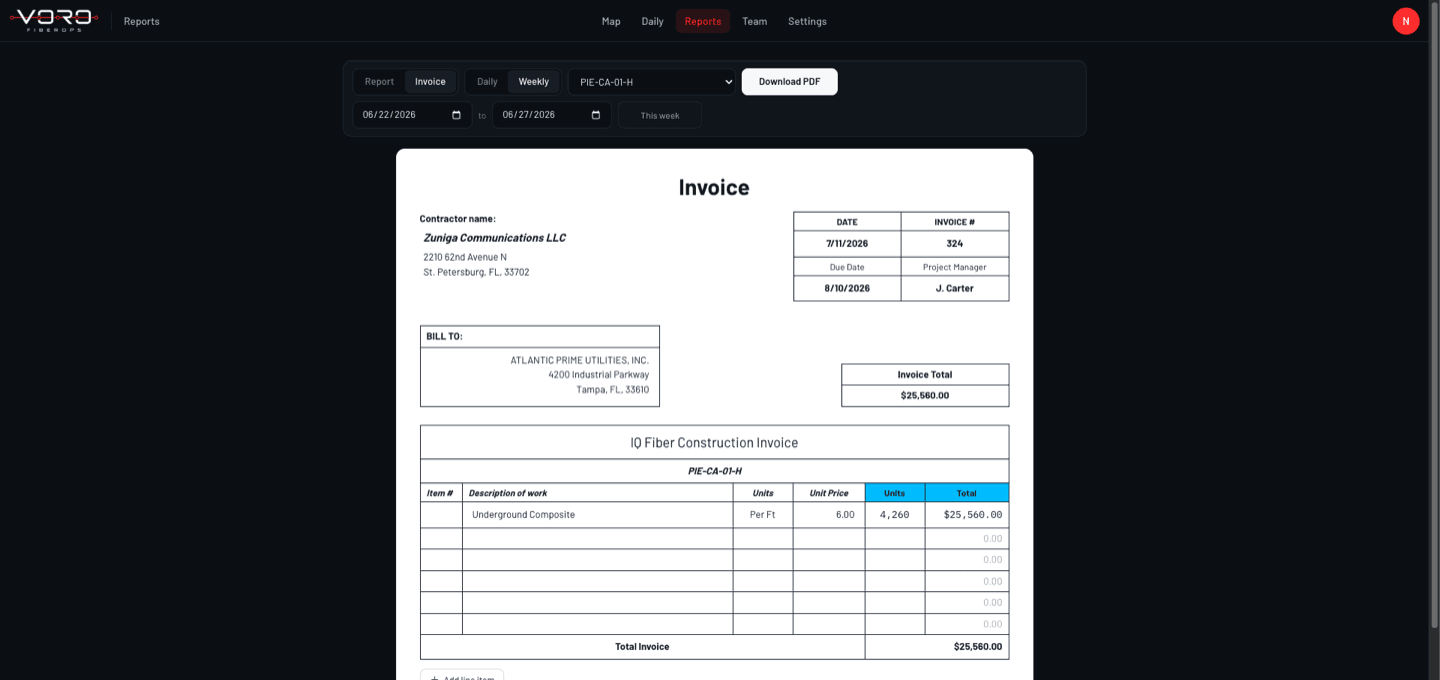
Reports and invoices from the same records
The weekly report and the invoice quantities are generated from verified production: footage by conduit type, boxes set, and the period they belong to. The footage on the invoice will match the numbers on the map.
Book a demo
Watch it happen on a real plan.
The demo is this exact walkthrough, live. Record a run and follow the same footage to the daily report, the weekly totals, and the invoice.
No commitment. About 30 minutes.