
Underground Fiber Production Tracking
Track underground fiber productionfrom the map to the invoice.
Record completed footage once. VORO turns it into crew totals, weekly reports, project history, and invoice quantities.
Built for underground fiber contractors, project managers, and field crews.
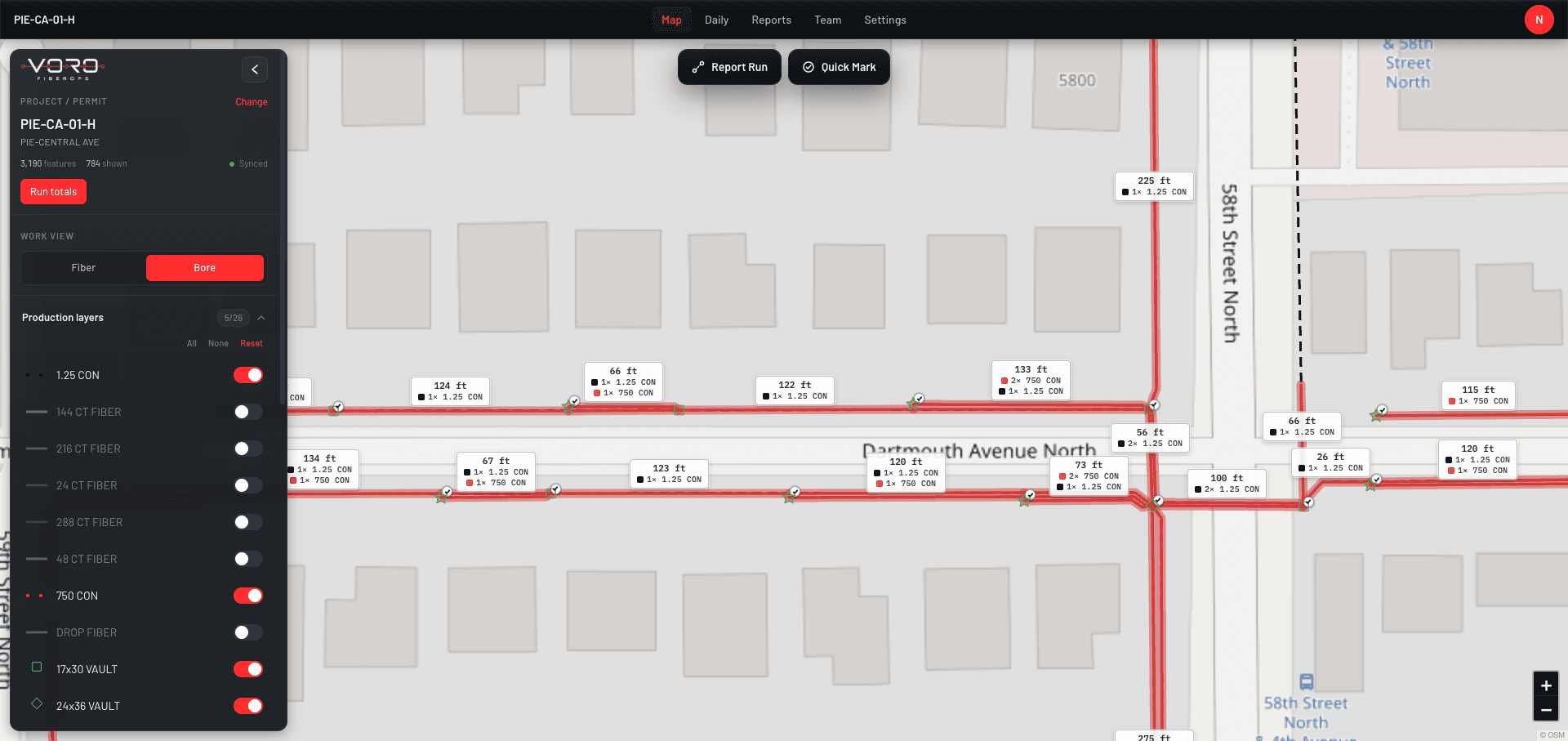
- Map-based production tracking
- Weekly reporting
- Production-backed invoicing
The Problem
Stop rebuilding the same production report every week.
Fiber production is often spread across crew texts, marked PDFs, spreadsheets, phone calls, and invoice software. VORO connects that workflow in one system.
Before VORO
One day of completed footage, retyped at every stop:
- Crew texts and calls
- Marked PDF
- Spreadsheet updates
- Weekly totals
- Invoice entry
5 entries · versions disagree · footage gets lost
With VORO
The same footage, recorded once at the source:
- Complete a run on the map
- Verify production
- Generate reports and invoice quantities
1 entry · every report and invoice reads from it
How It Works
From completed work to verified production.
STEP 01 / 04
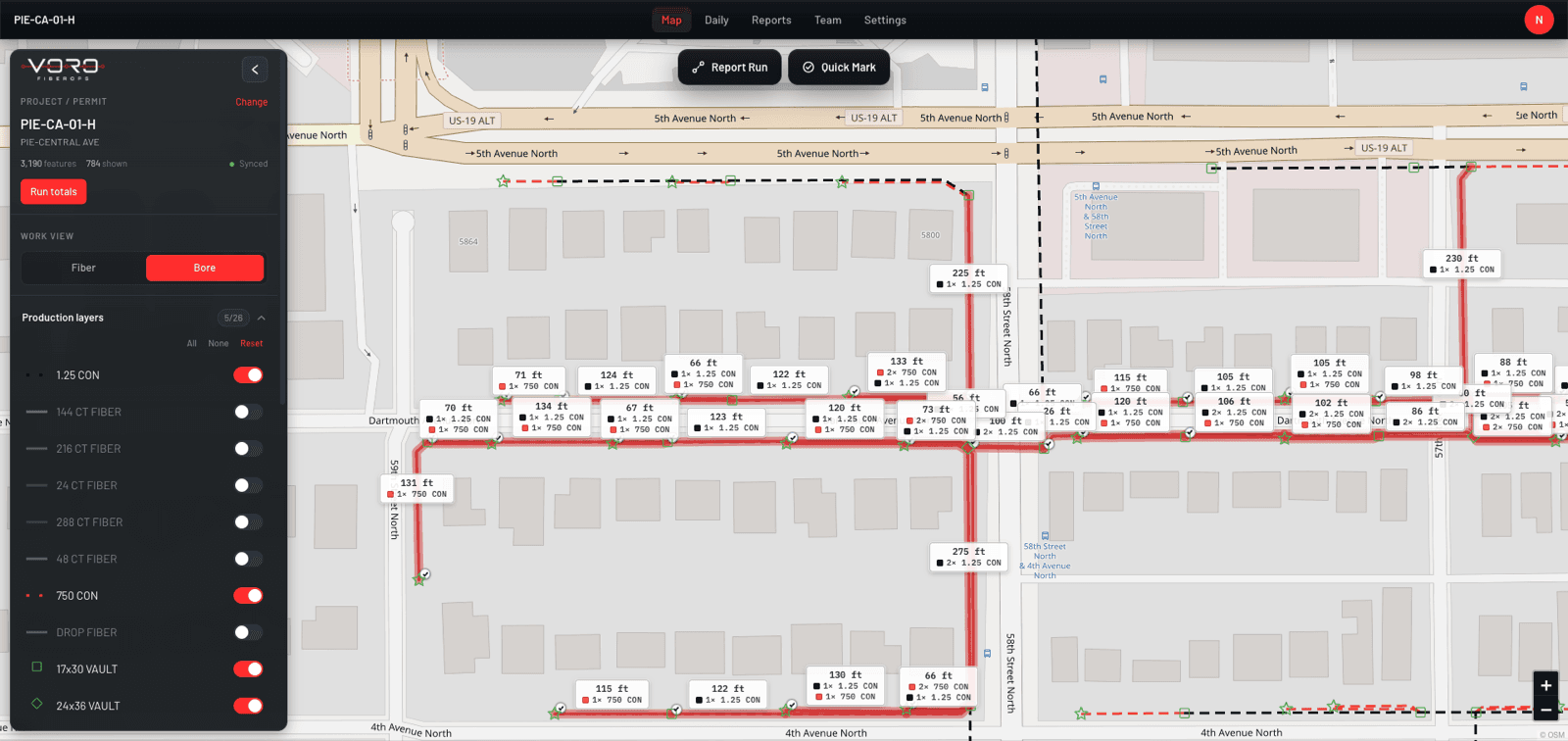
Open the project map
View routes, runs, handholes, project areas, and existing network information for the cabinet you're working.
STEP 02 / 04
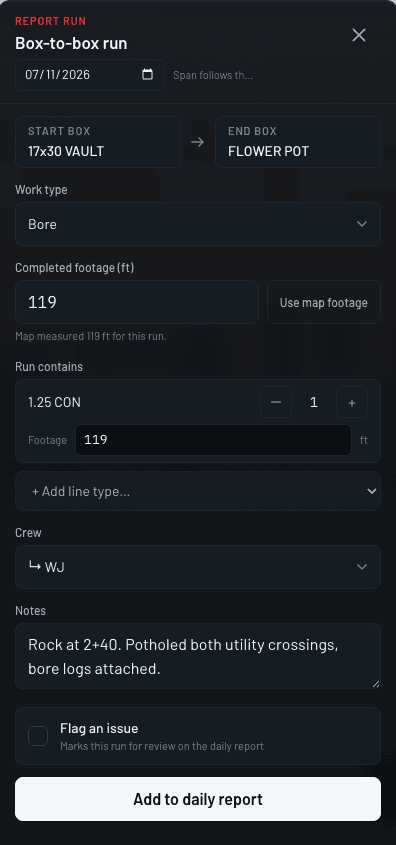
Record completed work
Select a run and enter footage, crew, date, conduit, and field notes. Footage is measured from the map for you.
STEP 03 / 04
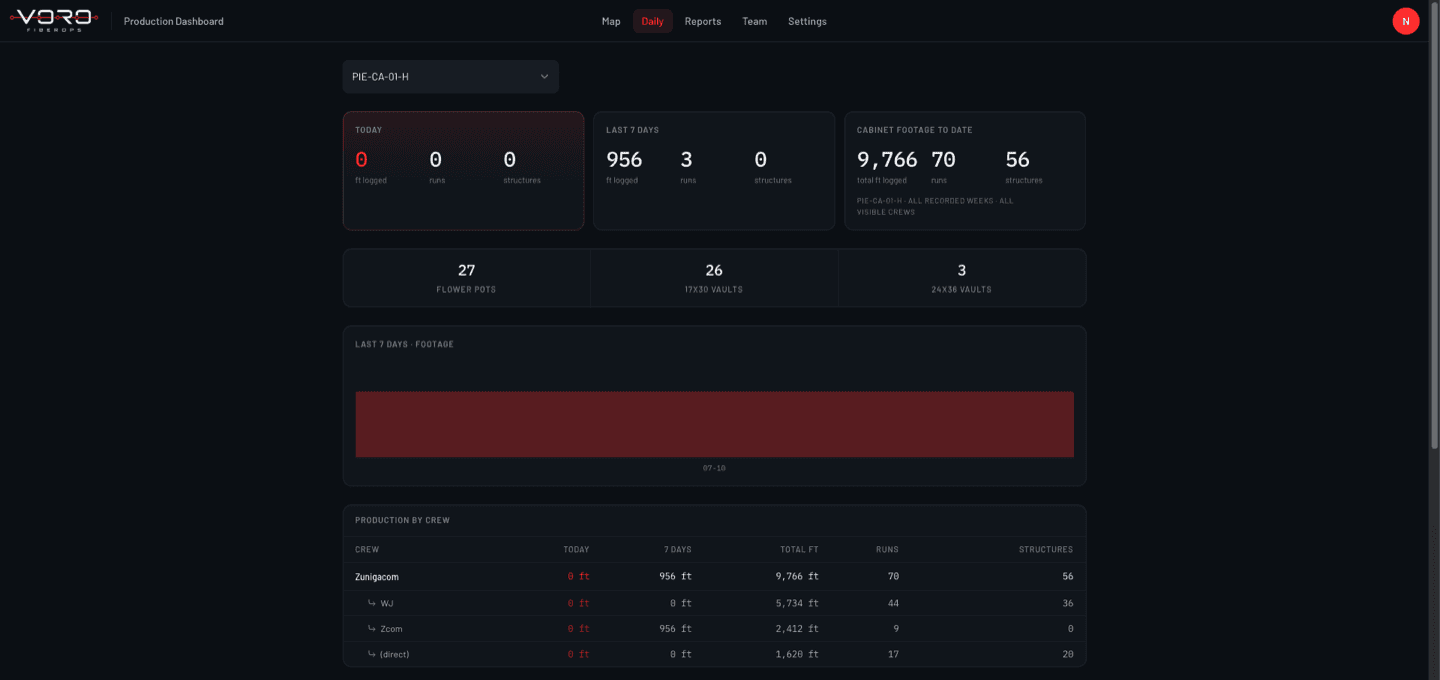
Review production
See daily and weekly totals by crew, project, run, and production category before anything goes out.
STEP 04 / 04
Generate reports and invoice quantities
Approved production records become the weekly report and the invoice quantities. Nothing is retyped.
Capabilities
Built for footage, crews, and the paperwork they generate.
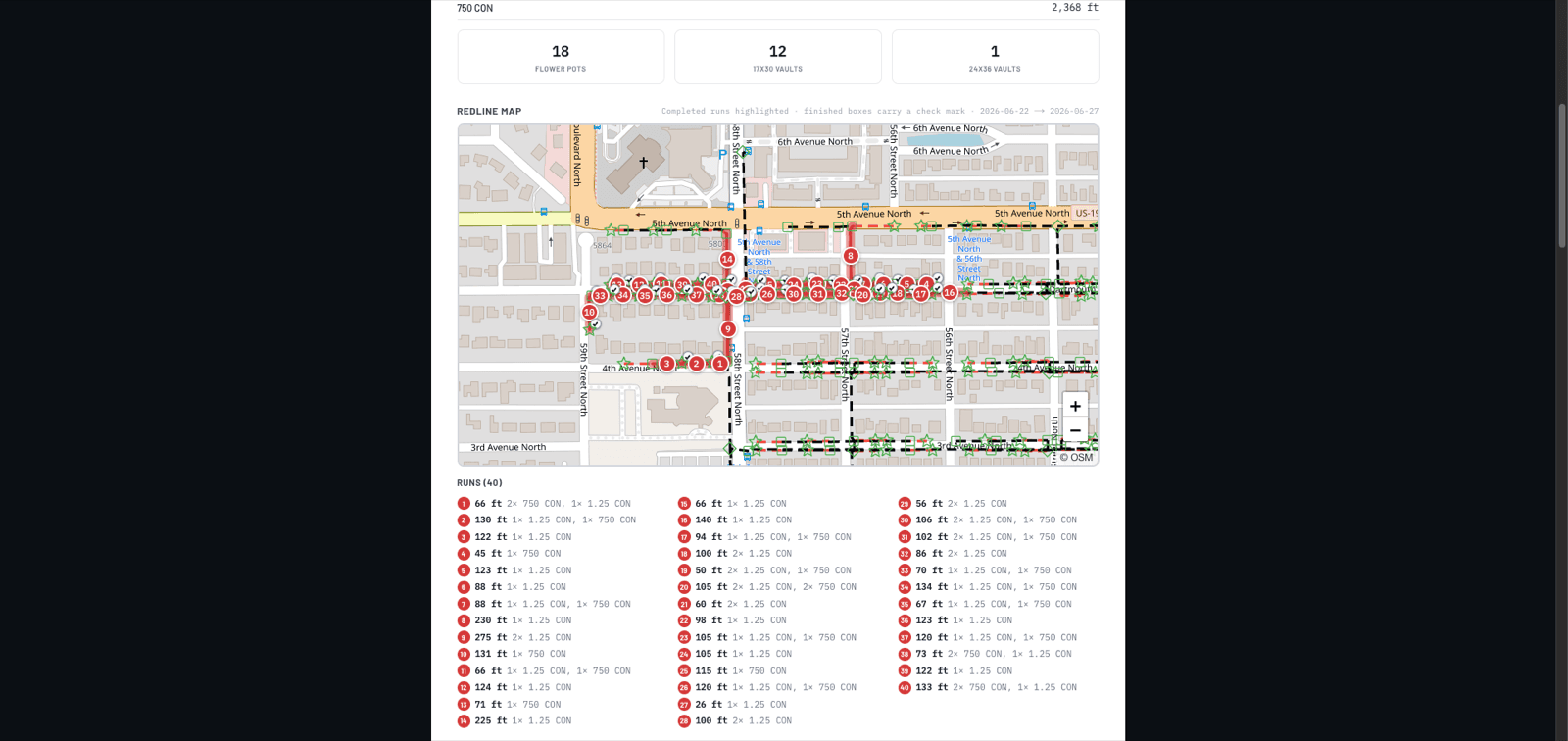
Map-Based Tracking
Track production directly from the project map.
Select completed runs, record footage, assign crews, add notes, and maintain a visual history of the work.
- Production tied to real map features
- Crew and date tracking
- Work types and conduit details
- Notes and corrections
- Duplicate-entry prevention
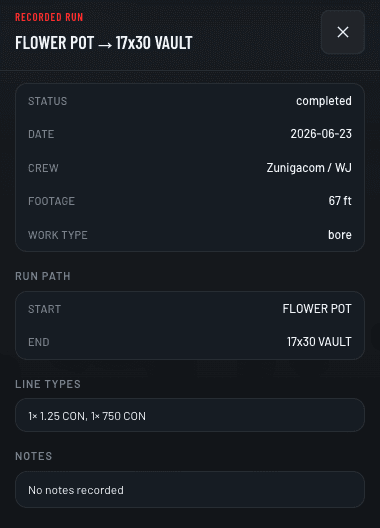
Daily & Weekly Totals
See daily and weekly totals without rebuilding spreadsheets.
Review production by crew, project, date, run, and work category before reports are submitted.
- Daily production summaries
- Weekly totals
- Crew comparison
- Missing production checks
- Project history
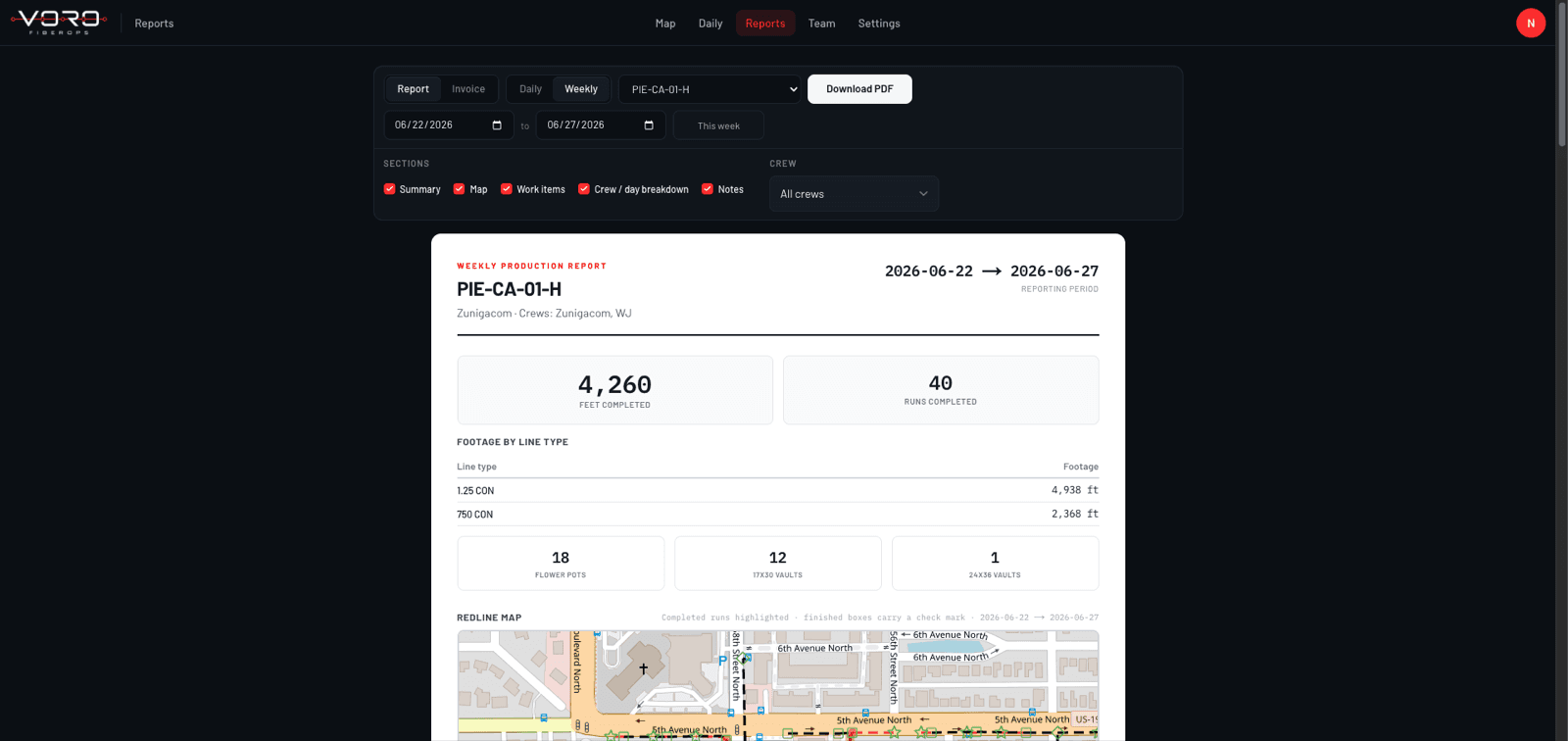
Production-Backed Invoicing
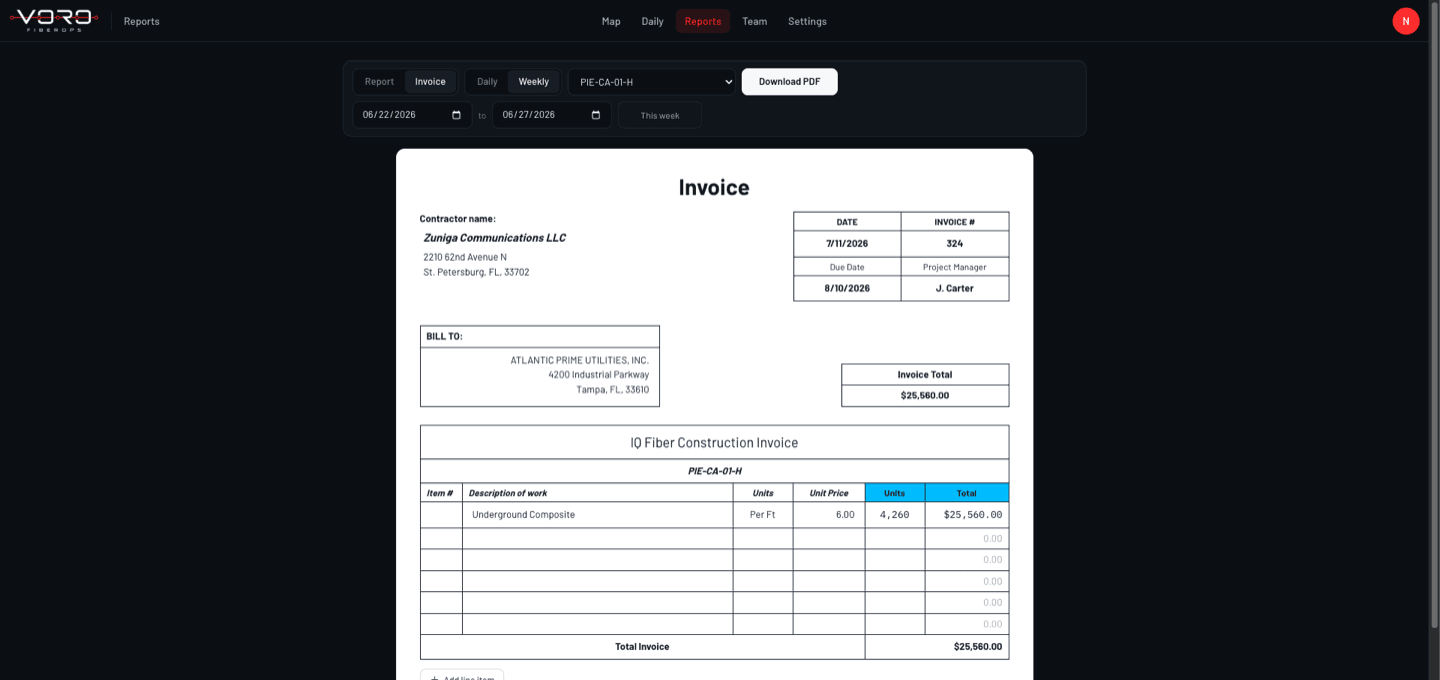
Turn verified production into report and invoice quantities.
Use approved field records to support weekly reporting and billing without entering the same footage again.
- Production-backed quantities
- Weekly report generation
- Review before approval
- Exportable project records
- Clear audit history
- Field notes
- Corrections
- Duplicate prevention
- Crew management
- User permissions
- Project organization
Time Savings
Recover hours of reporting work every week.
Manual production reporting can take 30 minutes to an hour per day, plus several hours at the end of the week. VORO reduces the time spent collecting, checking, and re-entering production.
30 min–1 hr
Typical daily reporting time
Up to 3hrs
Weekly report preparation
4–6hrs
Potential time recovered each week
Based on the manual process VORO was built to replace. Estimates, not guaranteed savings.
Calculate your reporting cost
Your current reporting workload
Estimated time spent on reporting
- Per week
- 10 hrs
- Per month
- 43.3 hrs
- Per year (50 working weeks)
- 500 hrs
- Estimated annual admin cost
- $22,500
Much of this time is re-entering production that was already recorded once. Keeping it connected from map to daily to weekly to invoice is exactly the work VORO removes.
Estimates only, based on your inputs. Not a guarantee of savings.
Who It's For
Built for every team involved in fiber production.
Underground Fiber Contractors
Track multiple crews, completed footage, weekly totals, and invoice quantities across active projects.
Prime Contractors
Review subcontractor production, verify completed work, and maintain consistent project records.
Project & Operations Teams
Monitor field progress, identify missing reports, and keep office records aligned with completed work.
Field Experience
Built from real underground fiber operations.
VORO was created from the actual workflow of running underground fiber crews: collecting daily production, preparing weekly reports, reviewing marked plans, and building invoice quantities.
It was not adapted from generic construction software. The workflow starts with how fiber production is actually completed and reported in the field.
Book a Demo
See how VORO would fit your production workflow.
Book a walkthrough using one of your actual reporting scenarios and see how VORO can reduce field reporting and weekly administrative work.
No commitment. We will walk through your current workflow and show how VORO could replace it.
Prefer email later? The form takes about a minute. Or use the full demo page.